
Skånetrafiken / Bulk traveler management for B2B
A scalable upload flow with validation for managing large datasets in an enterprise ticket/travel platform for the public transport platform.
Client
Skånetrafiken / B2B travel platform (enterprise portal).
What
Design of a new bulk traveler management feature, enabling companies to upload, validate, and manage large numbers of travelers efficiently.
Team
Cross-functional product team.
My role
UX/UI Designer – research, interaction design, validation. Focus on bulk workflows, table design, validation and design system.
Tools used
Figma, user interviews, usability testing
Duration/Year
4 months/ 2026
PURPOSE
The Skånetrafiken B2B Portal enables companies and public organisations to purchase and manage public transport tickets for their employees.
Adding travellers one by one worked for small organisations but didn't scale. Large customers needed a faster, more reliable way to onboard and manage thousands of travellers.
Context and challenge
Enable bulk upload of travellers
Support efficient search, filtering and bulk actions in a table / list
Explore flexible traveller grouping
Provide clear validation and error handling
Project goals
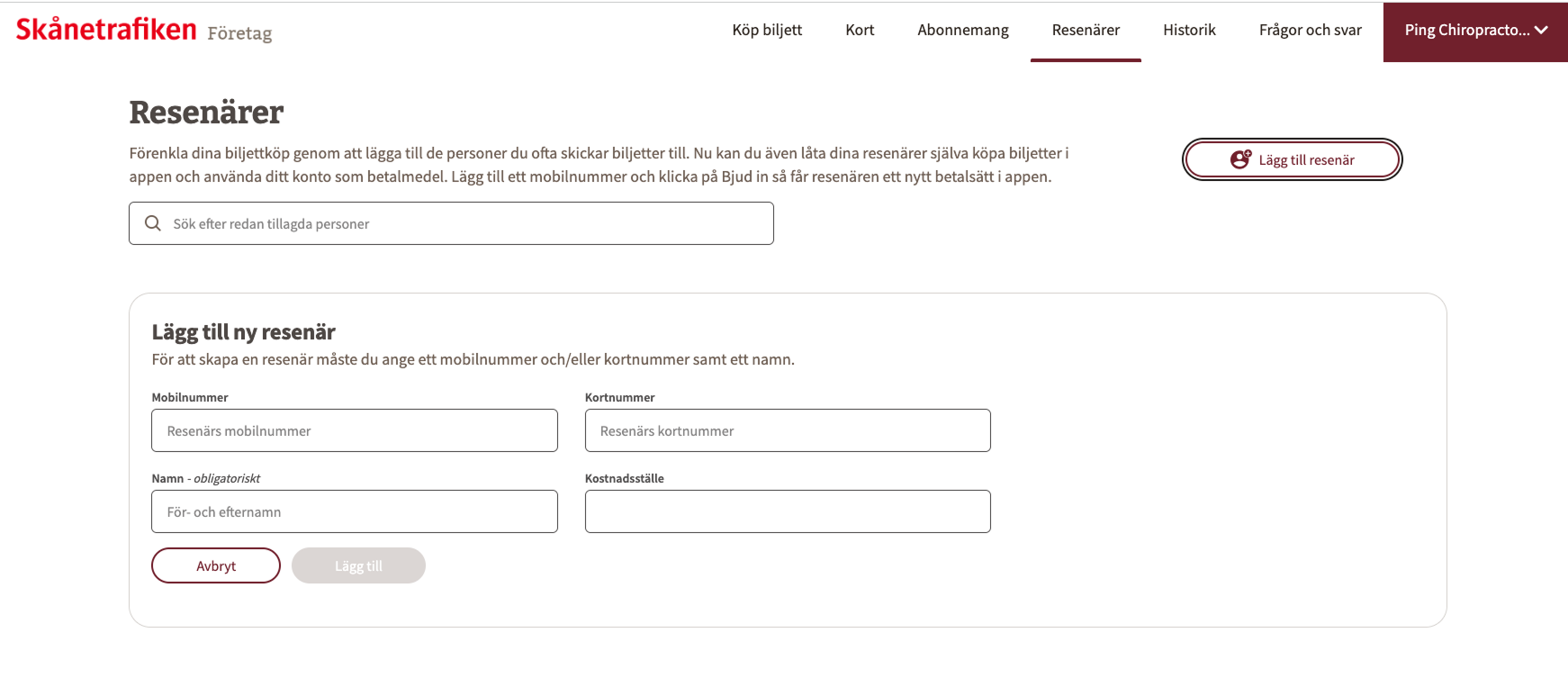
Previous workflow: adding travellers in bulk one by one created unnecessary manual work for administrators.
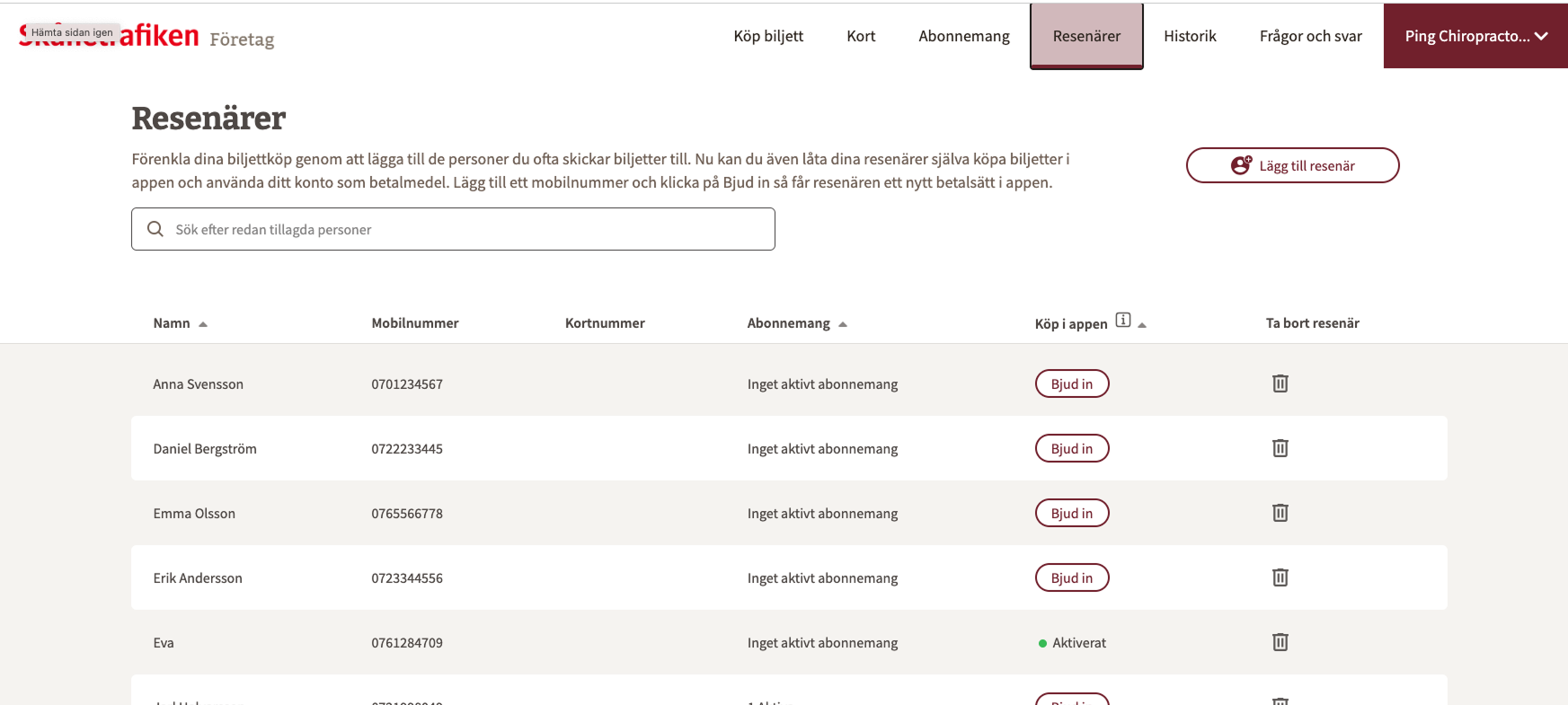
Previous table with traveller information.
PROCESS
Understanding the problem
User interviews
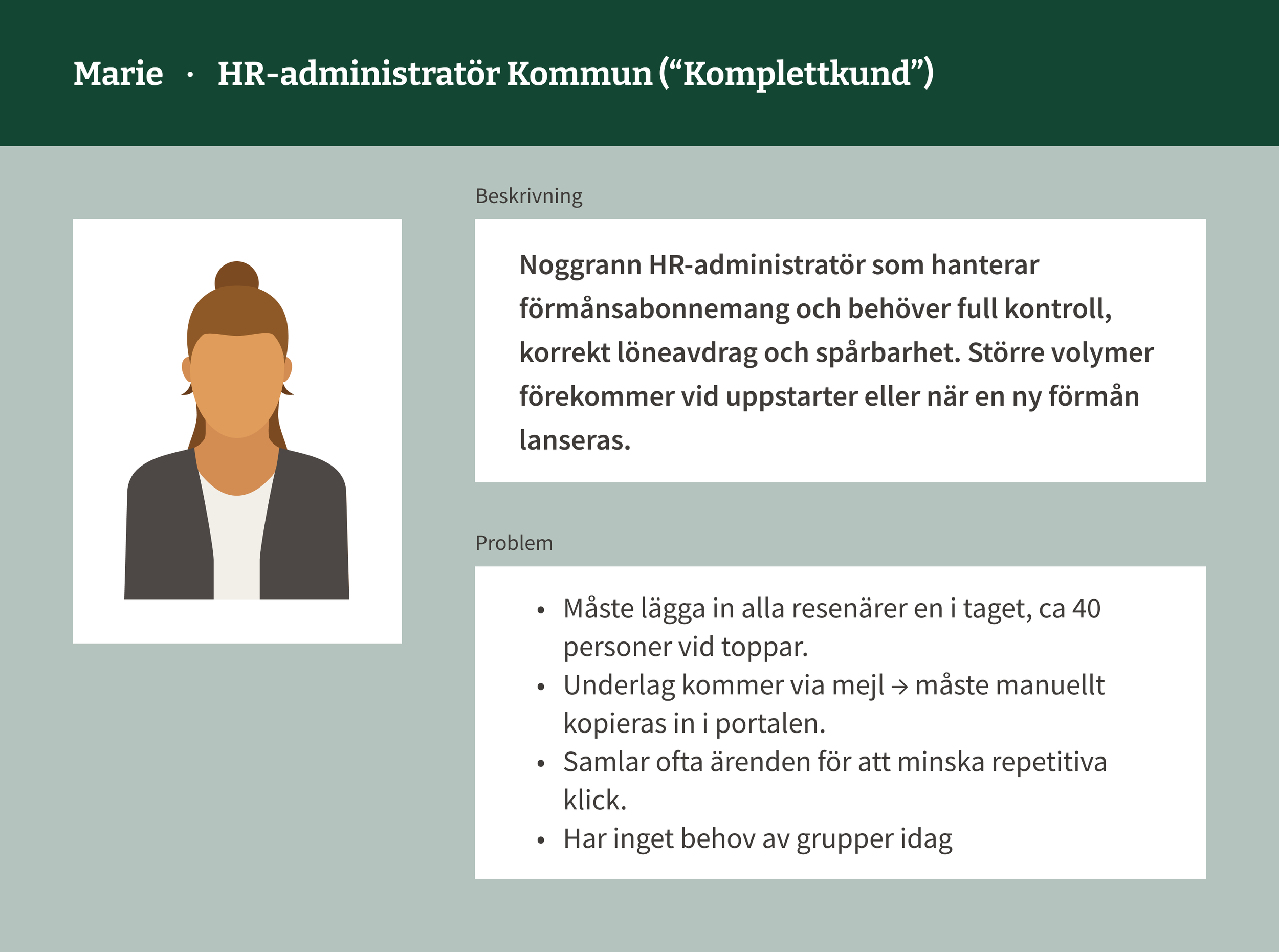
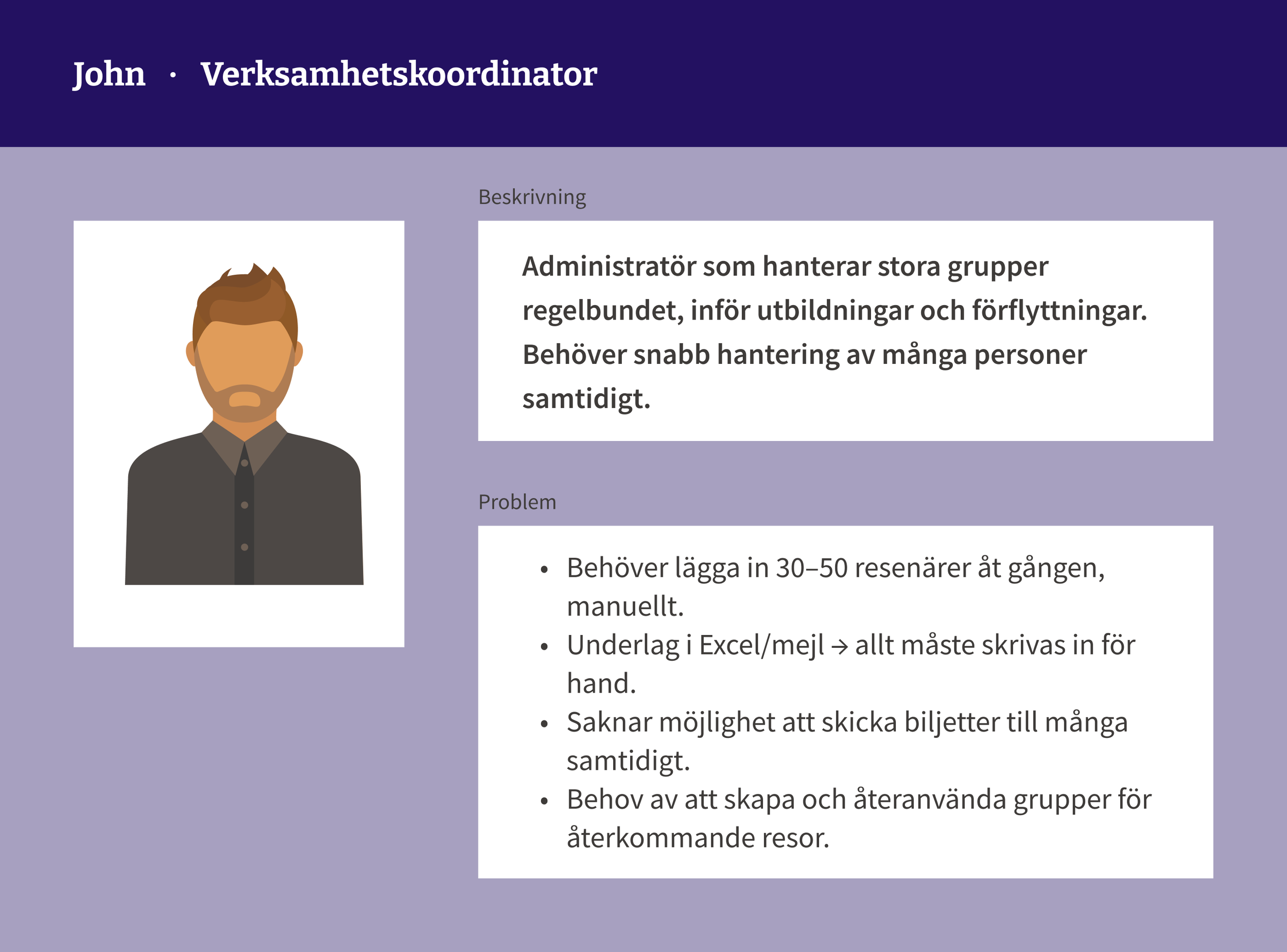
I interviewed representatives from the three key user groups to understand their onboarding workflows, identify pain points and validate assumptions. While their responsibilities and ticket purchasing needs differed, they shared the same challenges when onboarding and managing large numbers of travellers.
Key insights
Managing large numbers of travellers involved repetitive manual work.
Copying data between systems increased the risk of errors.
Users wanted clear validation and feedback before import.
“Uploading travellers means a lot of manual copying and pasting.”
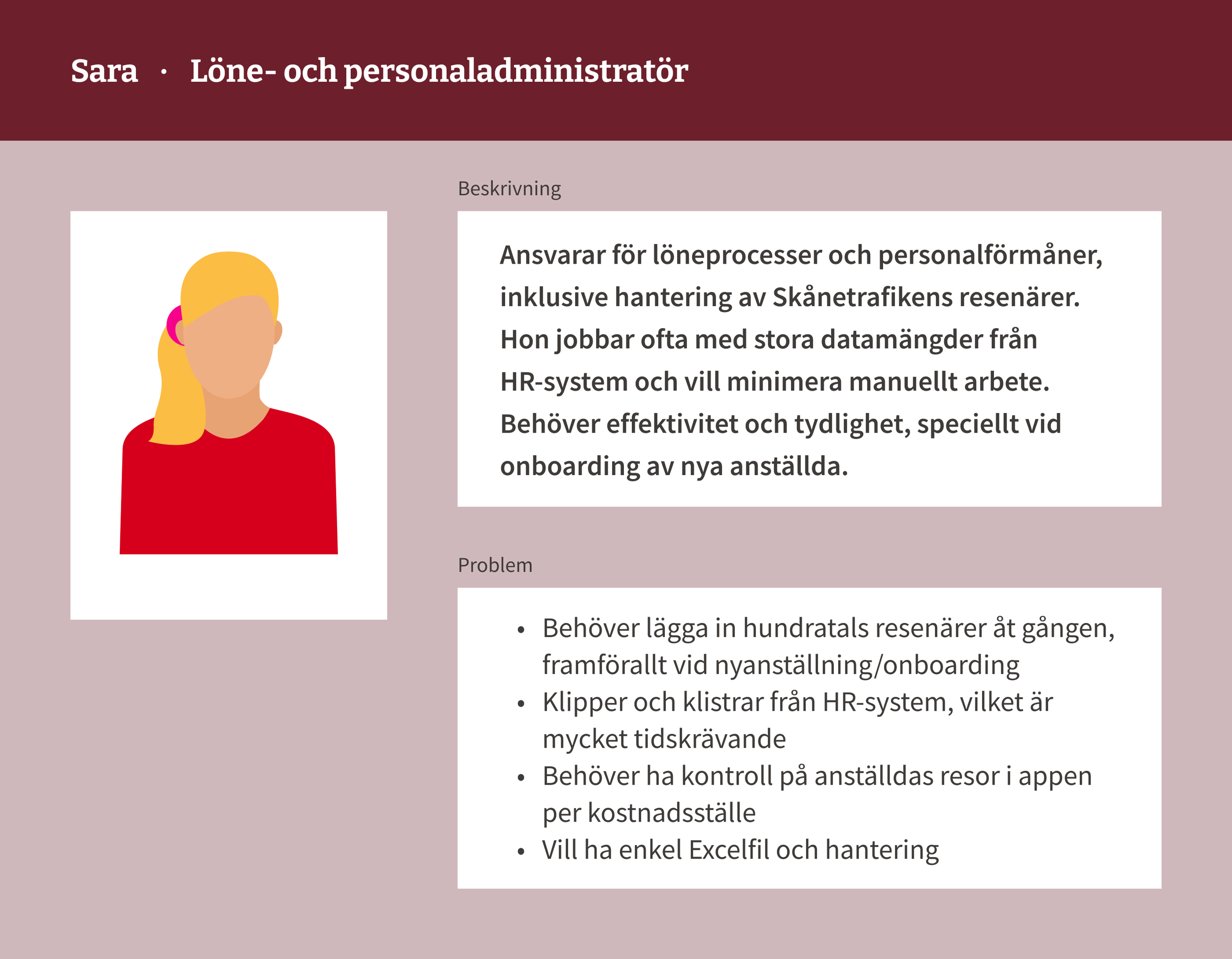
Key user groups
The portal serves three key user groups with different responsibilities and workflows. For this project, they shared the same onboarding challenges, allowing one workflow to support all groups.
Exploring the solution
Information architecture
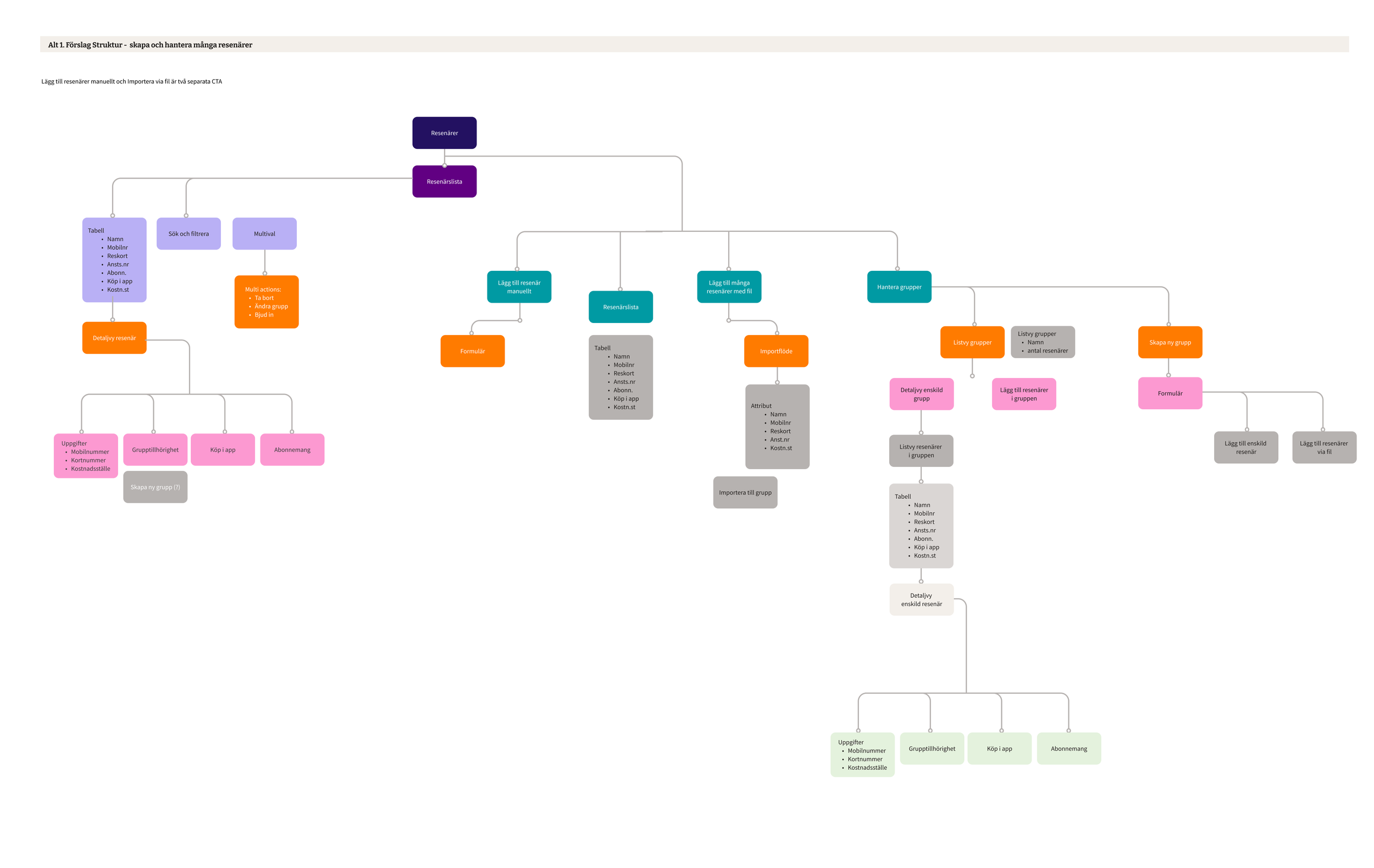
I created a site map to structure the new workflow and define how users would navigate between key tasks and actions.
Interaction patterns
I reviewed existing import flows, table patterns and bulk actions to identify familiar interaction patterns that could be adapted to the B2B workflow.
Concept exploration and validation
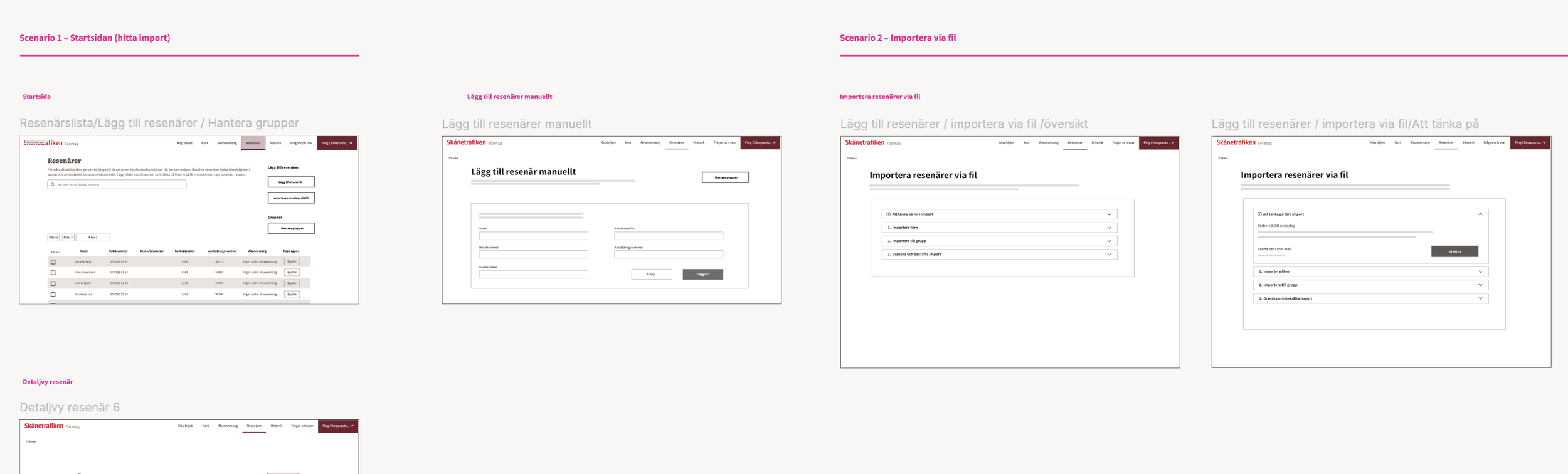
I explored different approaches through wireframes before refining the workflow into an interactive prototype.
The mid-fidelity prototype was tested with users to validate key interactions and identify improvements before moving into high-fidelity design.
SOLUTION
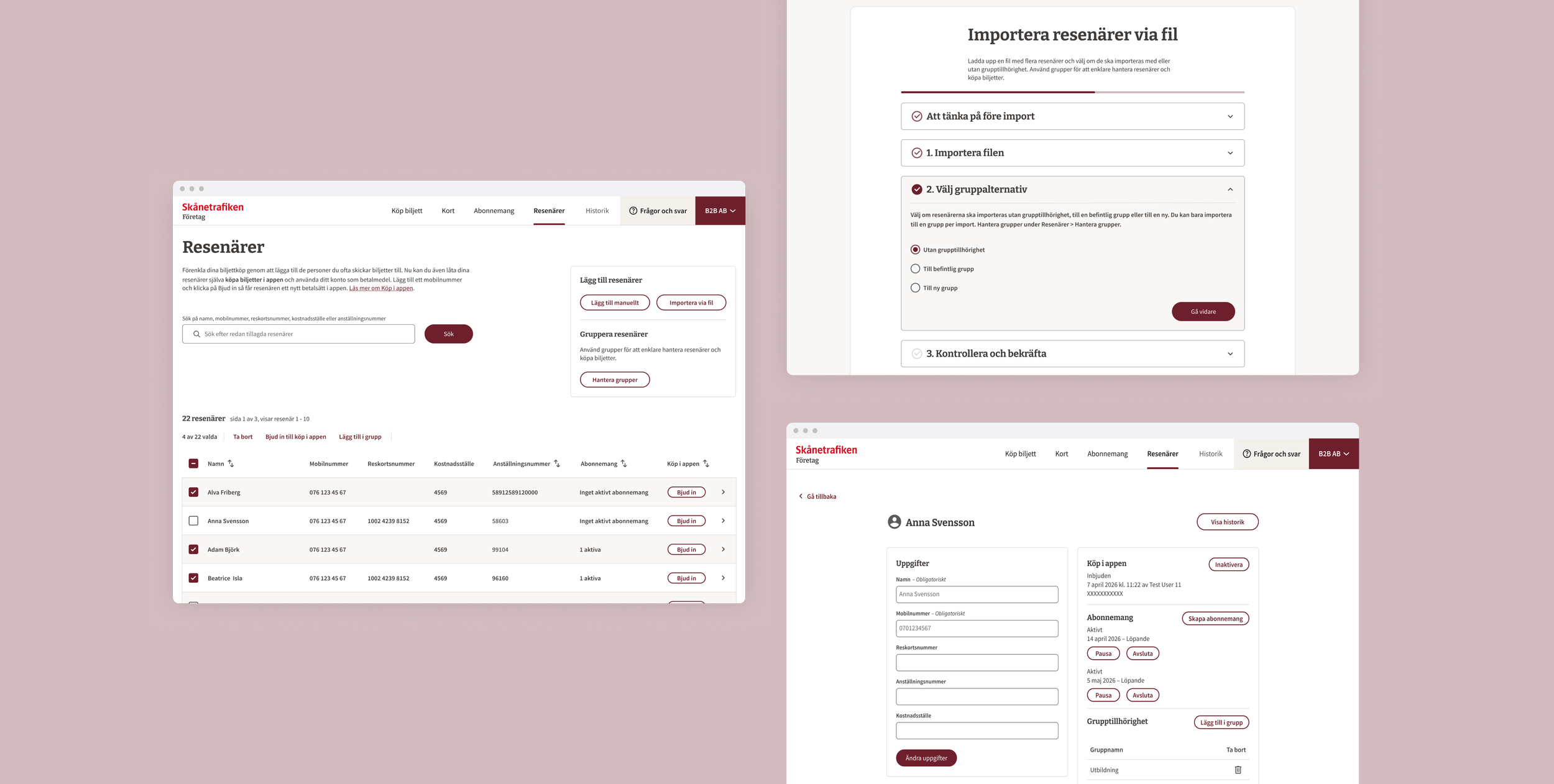
I adapted an existing import pattern to support the needs of the B2B traveller management workflow. The final design focused on creating a scalable and reliable way to manage large numbers of travellers.
High-fi design solution
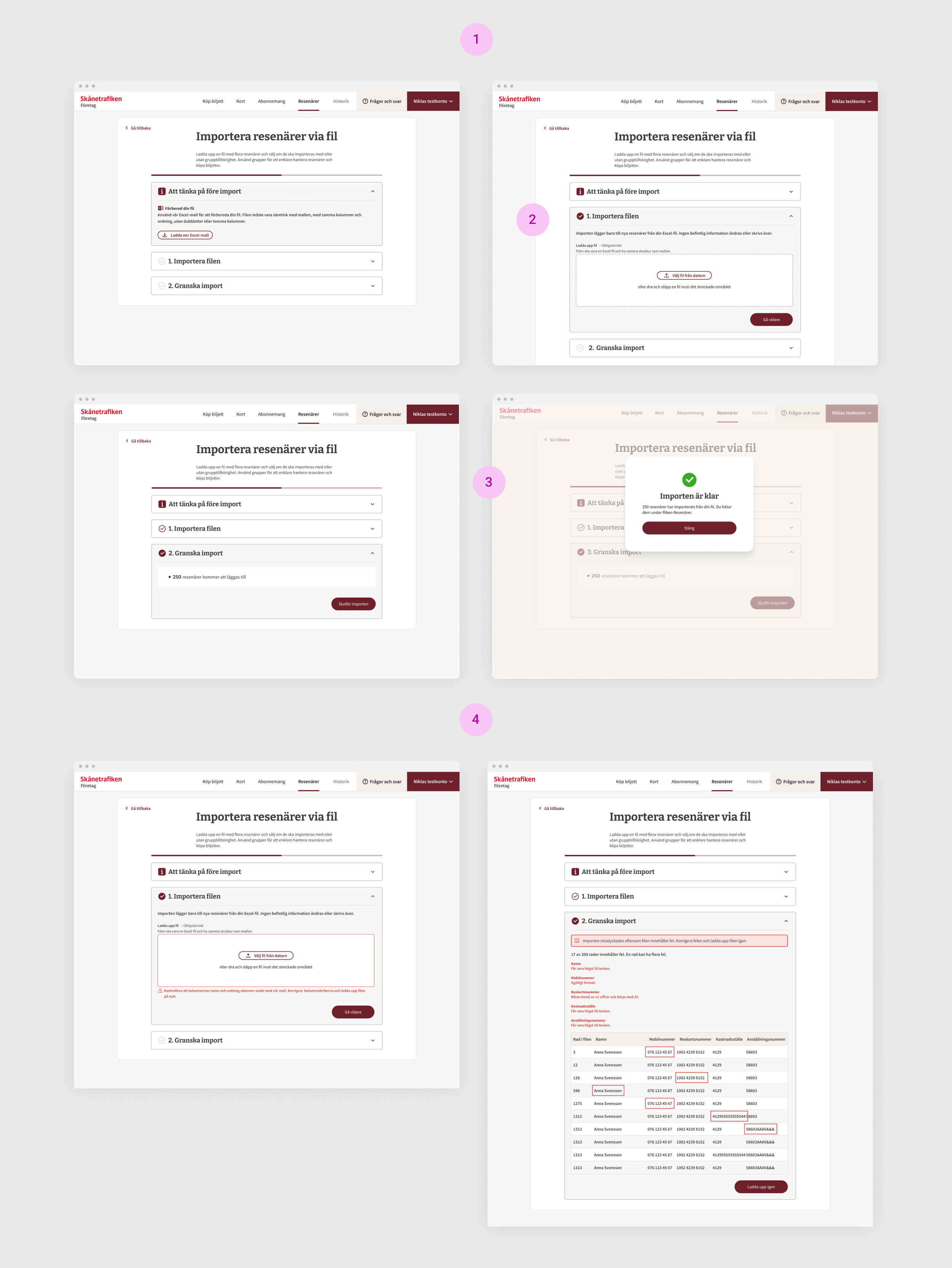
Design highlights
1. Familiar workflow
Built on an existing import pattern to create a familiar experience while adapting it for B2B traveller management.
2. Guided process
The flow was divided into clear steps, making it easier to upload, review and correct traveller data.
3. Confirmation feedback
Users received immediate confirmation when the import was completed, reducing uncertainty after a high-impact action.
4. Validation and error recovery
Validation was integrated throughout the flow, allowing users to identify issues, correct data and revalidate without restarting the import.
The bulk import flow
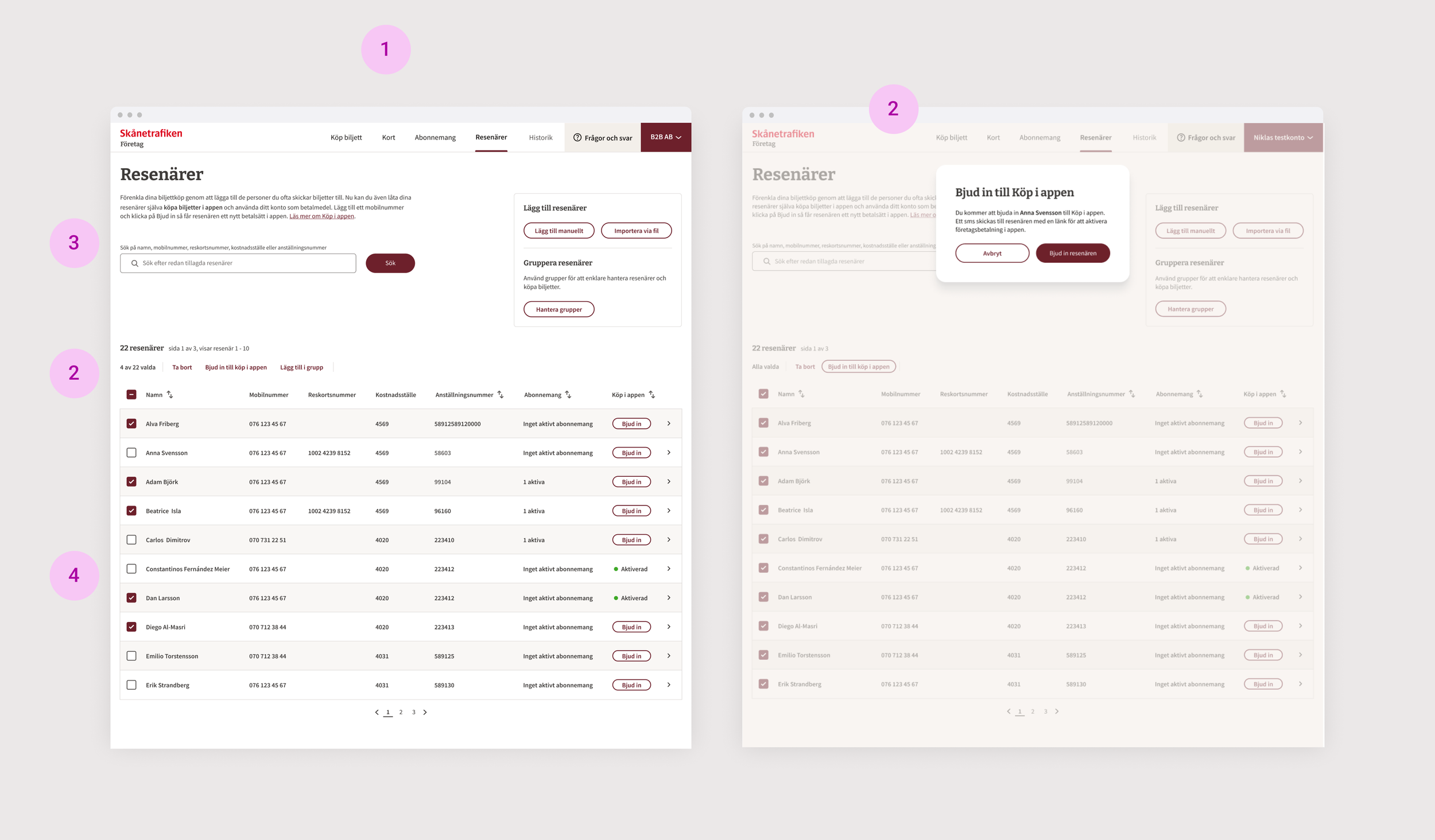
Traveller management table
Design highlights
1. Designed for scale
The table was designed to support large volumes of traveller data without compromising usability.
2. Bulk actions
Multi-select made it possible to update multiple travellers in a single action, reducing repetitive work.
3. Search
Search helped users quickly find specific travellers in large datasets.
4. Clear data overview
Information was structured to make traveller data easy to scan, review and manage.
CONCLUSION
The outcome

The result
The solution created a more scalable way to manage large volumes of travellers.
Reduced manual administration through bulk import
Reduced risk of errors through validation and clearer feedback
Added new functionality to better support enterprise needs

My learnings
In B2B products, administration is a key part of the user experience.
Clear validation and feedback are essential when managing large datasets.
Complex workflows require structure, flexibility and attention to edge cases.
A key learning was the importance of validating the full user context. Group management was initially identified as a need, but required further exploration to ensure the right solution was designed.

What would be the next step?
Conduct usability testing of the final solution to validate the end-to-end workflow
Measure key outcomes such as task completion and error rates after launch
Explore group management as a future capability based on further user needs validation